MBTA Debuts Two New Ways to Track Your Ride
The MBTA has introduced a new way for riders to track real-time bus arrivals without a smartphone or a data plan, as well as new real-time vehicle location information to the region’s ferry boats.
Bus tracking by text message
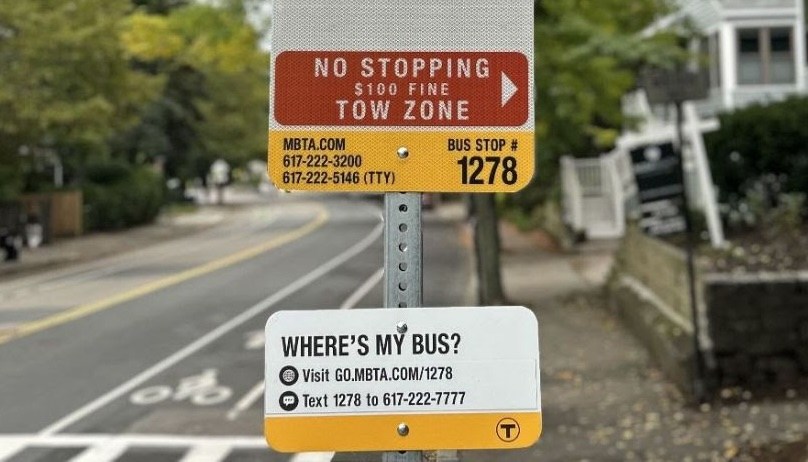
You can now send an SMS text message to 617-222-7777 with a bus stop identification number (which can be found on most MBTA bus stop signs) to receive a text-only list of upcoming bus departure times within a few seconds.
The T is also installing new “WHERE’S MY BUS?” signage on certain bus routes that explains how it works, starting with the 65 in Brighton and Brookline.
But the service is functional on all bus routes, whether or not those signs are present.
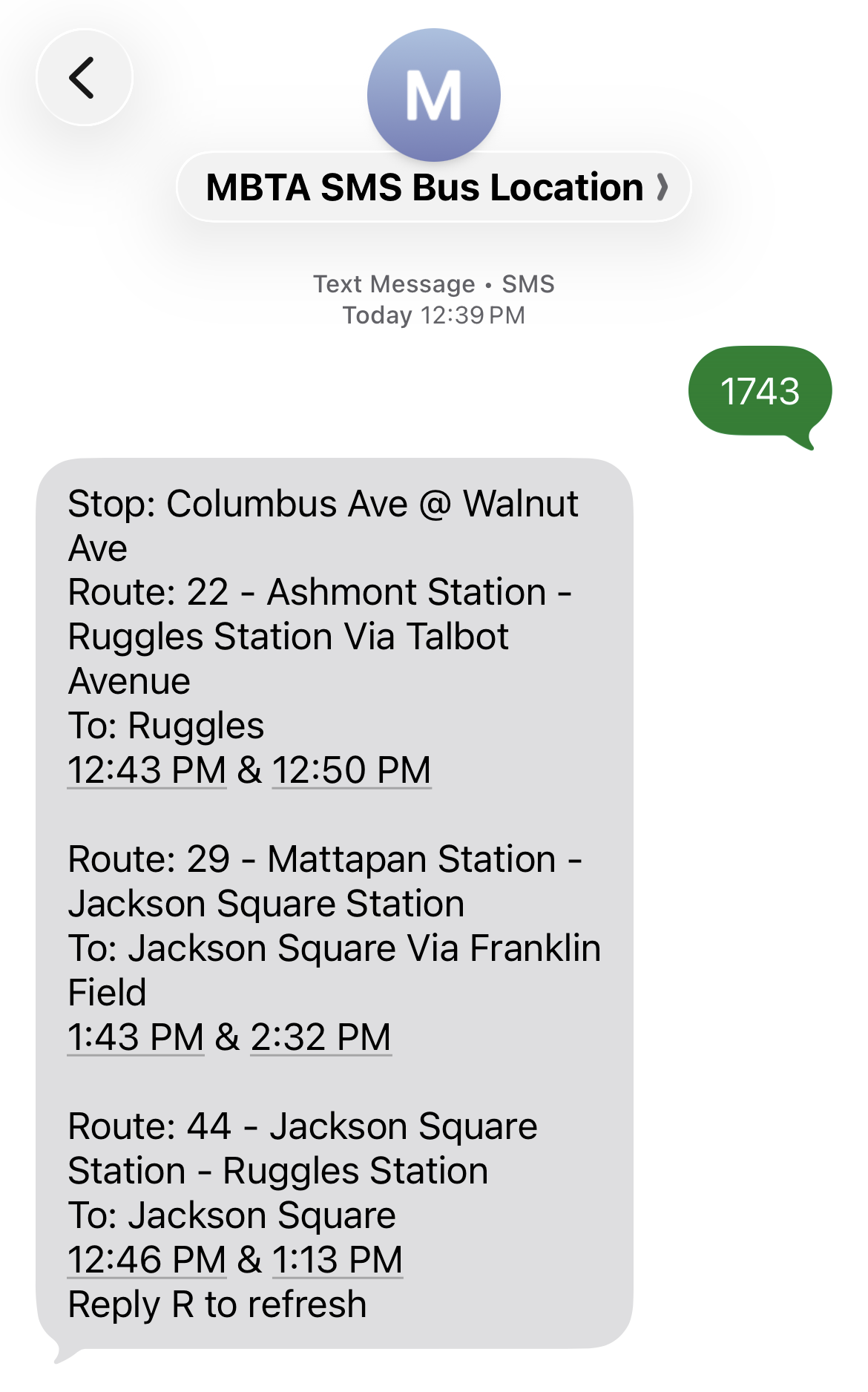
If you’re reading this on a phone, you can use this link to see an example of how it works for the bus stop on the corner of Columbus Avenue and Walnut Street near Franklin Park (stop ID #1743).
You can also find bus stop ID numbers by searching for the name of your street on the mbta.com website.
Real-time ferry locations
Just in time for the winter storm season, the T is also adding real-time vehicle location data (something that’s long been available for its trains and buses) for its ferry routes.
The ferry location data can be viewed on the MBTA’s official MBTA Go app, and it will also be used to predict upcoming arrivals and departures on the MBTA’s online trip planner and on digital information screens like the ones at the Aquarium Blue Line station. For programmers designing their own custom applications, the ferry data is also available via the MBTA’s API.
“The MBTA Go app that we launched in 2024 is my go-to, and now ferry riders can use it too,” said Interim Secretary and MBTA General Manager Phillip Eng in an MBTA press release. “It’s our hope that with more clear communication our riders will have less stress in their busy day as they plan their journeys on land or on the water.”

Read More:
Streetsblog has migrated to a new comment system. New commenters can register directly in the comments section of any article. Returning commenters: your previous comments and display name have been preserved, but you'll need to reclaim your account by clicking "Forgot your password?" on the sign-in form, entering your email, and following the verification link to set a new password — this is required because passwords could not be carried over during the migration. For questions, contact tips@streetsblog.org.